Decoding the Cloud A Deep Dive into SaaS Trends.


Development

- 9 Apr, 2026
- 592 Views
- 0 Comment
So you’ve decided to build a website for your business. Great move. In today’s digital world, your website is often the first impression a potential customer gets and a poorly built site can cost you leads, sales, and credibility.
But here’s where most business owners go wrong: they assume a 5–10 page website is simple. They hire the cheapest developer they can find, and two months later, they’re dealing with a slow site, broken pages, zero Google rankings, and no idea who to call for help.
At AgileSchemata, we’ve helped dozens of businesses get this right. In this guide, we’ll walk you through exactly what a skilled WordPress developer should deliver so you hire smart, not cheap.
Why WordPress Is Still the Best Choice for Small Business Websites
WordPress powers over 43% of all websites on the internet and for good reason. It’s flexible, scalable, cost-effective, and has a massive ecosystem of themes, plugins, and developers.
For small businesses, WordPress offers:
- Full ownership of your site and content
- Easy content management — update pages yourself without needing a developer
- SEO-friendly architecture out of the box
- Thousands of plugins for forms, ecommerce, bookings, and more
- Scalability — start small and grow without switching platforms
But none of these advantages matter if your WordPress site is built poorly. Let’s talk about what “built properly” actually means.
1. Proper WordPress Setup Hosting, SSL, and Security
A professional WordPress developer doesn’t just install WordPress and hand you a login. They set up the entire foundation correctly from day one.
What this includes:
Reliable Hosting
Not all hosting is created equal. A good developer will recommend or configure a hosting plan suited to your traffic and business needs whether that’s shared hosting for a new site or a managed WordPress host like Kinsta or WP Engine for higher performance.
SSL Certificate
Your site must run on HTTPS, not HTTP. An SSL certificate encrypts data between your visitors and your website. Without it, Google flags your site as “Not Secure,” and visitors will leave immediately. A professional developer will set this up as a non-negotiable.
Security Hardening
WordPress sites are popular targets for hackers precisely because it’s the most used CMS. A skilled developer will:
- Limit login attempts to prevent brute-force attacks
- Install a reputable security plugin (like Wordfence or Sucuri)
- Disable file editing from the WordPress dashboard
- Set correct file permissions on the server
Automated Backups
Accidents happen. A good developer sets up automated daily or weekly backups stored offsite so if anything goes wrong, your site can be restored quickly.
2. Theme Customization Elementor, Divi, and Gutenberg
WordPress themes control how your site looks. But a theme straight out of the box rarely looks like a real business website it needs proper customization.
The three most popular page builders used by professional WordPress developers are:
Elementor
Elementor is the most widely used drag-and-drop page builder. A skilled developer uses Elementor to create pixel-perfect layouts, custom sections, and reusable templates without writing code for every element.
Divi
Divi by Elegant Themes is another powerful visual builder with its own ecosystem of modules and layouts. It’s especially popular for marketing and creative websites.
Gutenberg (WordPress Block Editor)
Gutenberg is the native WordPress editor. It’s lightweight, fast, and increasingly powerful. Developers who are comfortable with Gutenberg can build clean, performance-optimized sites without relying on heavy third-party page builders.
What sets a professional apart: They don’t just use a pre-built demo template. They customize the typography, color scheme, layout, and components to match your brand identity.
3. HTML & CSS Knowledge Beyond Drag-and-Drop
Here’s something many business owners don’t realize: the best WordPress developers don’t rely entirely on drag-and-drop tools.
Why? Because page builders have limitations. Sometimes you need a custom layout, a specific animation, or a design element that no plugin provides out of the box. That’s where HTML and CSS knowledge becomes essential.
A skilled WordPress developer should be able to:
- Write and edit custom CSS to fine-tune design details
- Understand how HTML structures a webpage
- Troubleshoot layout issues caused by theme or plugin conflicts
- Create custom sections or elements that page builders can’t handle natively
If a developer can only operate within a page builder and can’t touch the code, they’re limited in what they can build for you.
4. Fully Responsive, Mobile-Friendly Design
Over 60% of all website traffic now comes from mobile devices. If your website doesn’t look and work perfectly on smartphones and tablets, you’re losing more than half your potential visitors.
A responsive website automatically adjusts its layout based on the screen size. This means:
- Text is readable without zooming in
- Buttons and links are easy to tap
- Images scale properly without overflowing
- Navigation menus collapse into a mobile-friendly format
A professional WordPress developer tests your site across multiple devices and screen sizes not just on a desktop computer before handing it over to you.
5. Basic On-Page SEO Setup
Building a website without SEO is like opening a shop with no sign outside. You might have the best products or services, but no one will find you.
Even a basic 5-page website needs proper SEO setup from day one. Here’s what a professional WordPress developer should handle:
Meta Titles and Descriptions
Every page needs a unique, keyword-rich meta title and description. These are what appear in Google search results they directly impact your click-through rate.
Clean, SEO-Friendly URLs
Your URLs should be readable and keyword-optimized. For example:

yourdomain.com/wordpress-development-services
yourdomain.com/?p=123
Image Optimization
Large, unoptimized images are one of the biggest causes of slow websites. A good developer compresses images before uploading, adds descriptive alt text (which helps Google understand what the image is), and uses modern image formats like WebP where possible.
XML Sitemap
A sitemap helps Google crawl and index all your pages quickly. A professional developer submits your sitemap to Google Search Console as part of the launch process.
Schema Markup (Bonus)
For local businesses especially, adding schema markup helps Google display rich results like your business hours, location, and reviews directly in search results.
At AgileSchemata, SEO setup is built into every website we develop not treated as an optional add-on.
6. Contact Forms with Spam Protection
Every business website needs a way for visitors to get in touch. But a poorly set up contact form can be flooded with spam, fake submissions, or fail to deliver messages to your inbox.
A professional WordPress developer will:
- Set up a reliable contact form plugin (like WPForms or Contact Form 7)
- Configure proper email delivery using SMTP (to prevent forms going to spam)
- Add CAPTCHA or honeypot spam protection
- Test the form before launch to make sure messages actually arrive
A contact form that doesn’t work is worse than no contact form at all you could be losing real inquiries without knowing it.
7. Speed Optimization Core Web Vitals and Performance
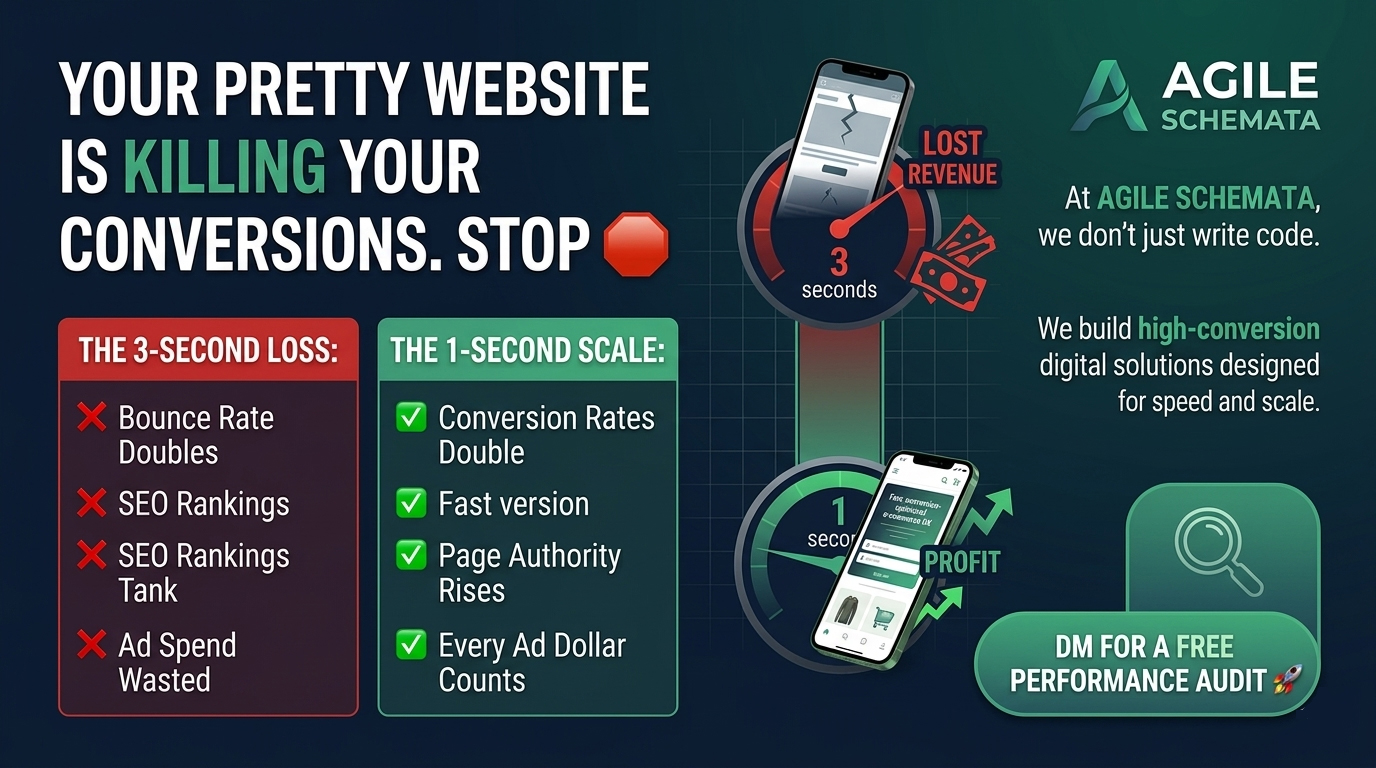
Website speed is critical not just for user experience, but for SEO. Google uses page speed as a ranking factor. A slow website will rank lower in search results and lose visitors who won’t wait more than 3 seconds for a page to load.
Here’s what a professional WordPress developer does to optimize speed:
Caching
Caching stores static versions of your pages so they load faster for repeat visitors. Plugins like WP Rocket or W3 Total Cache handle this effectively.
Image Lazy Loading
Images only load when the user scrolls down to them rather than all at once when the page opens. This significantly reduces initial load time.
Minifying CSS and JavaScript
Minification removes unnecessary spaces and characters from code files, reducing their size and load time.
Content Delivery Network (CDN)
A CDN serves your website’s files from servers closest to the visitor’s location, reducing latency. Cloudflare is a popular free option.
Core Web Vitals
Google’s Core Web Vitals measure three key aspects of user experience: loading speed (LCP), interactivity (INP), and visual stability (CLS). A professional developer optimizes for all three.
Red Flags When Hiring a WordPress Developer
Now that you know what a professional delivers, here are warning signs to watch for:
- No portfolio or case studies — Can they show you sites they’ve built?
- Unrealistically low prices — Quality development takes time. Very cheap quotes usually mean shortcuts.
- No mention of SEO, speed, or security — These are fundamentals, not extras.
- Can’t explain their process — A professional developer can clearly explain what they’ll build and how.
- No post-launch support — What happens when something breaks after handover?
Why Choose AgileSchemata for Your WordPress Website?
At AgileSchemata, we build websites that don’t just look great they perform. Every site we deliver includes:
- Professional WordPress setup with security and backups
- Custom design using Elementor, Divi, or Gutenberg
- Fully responsive, mobile-optimized layouts
- On-page SEO setup — meta tags, clean URLs, image optimization
- Speed optimization and Core Web Vitals compliance
- Contact forms with spam protection and SMTP email delivery
- Post-launch support and ongoing maintenance
Whether you need a simple 5-page business website or a feature-rich WordPress build with ecommerce and SEO — we’ve got you covered.
Final Thoughts
A small website isn’t just a digital brochure. Done right, it’s your best salesperson working 24/7 to attract, inform, and convert visitors into customers.
When you’re hiring a WordPress developer, don’t just look at price. Look at what they deliver, how they communicate, and whether they treat your website as a long-term business asset.
If you’re ready to build a website that actually works for your business, get in touch with AgileSchemata today.
 info@agileschemata.com
 agileschemata.com



DROP US A LINE
Connect with AgileSchemmata
Ready to take the first step towards unlocking opportunities, realizing goals, and embracing innovation? We're here and eager to connect.

To More Inquiry
+92 332 4709074

To Send Mail